
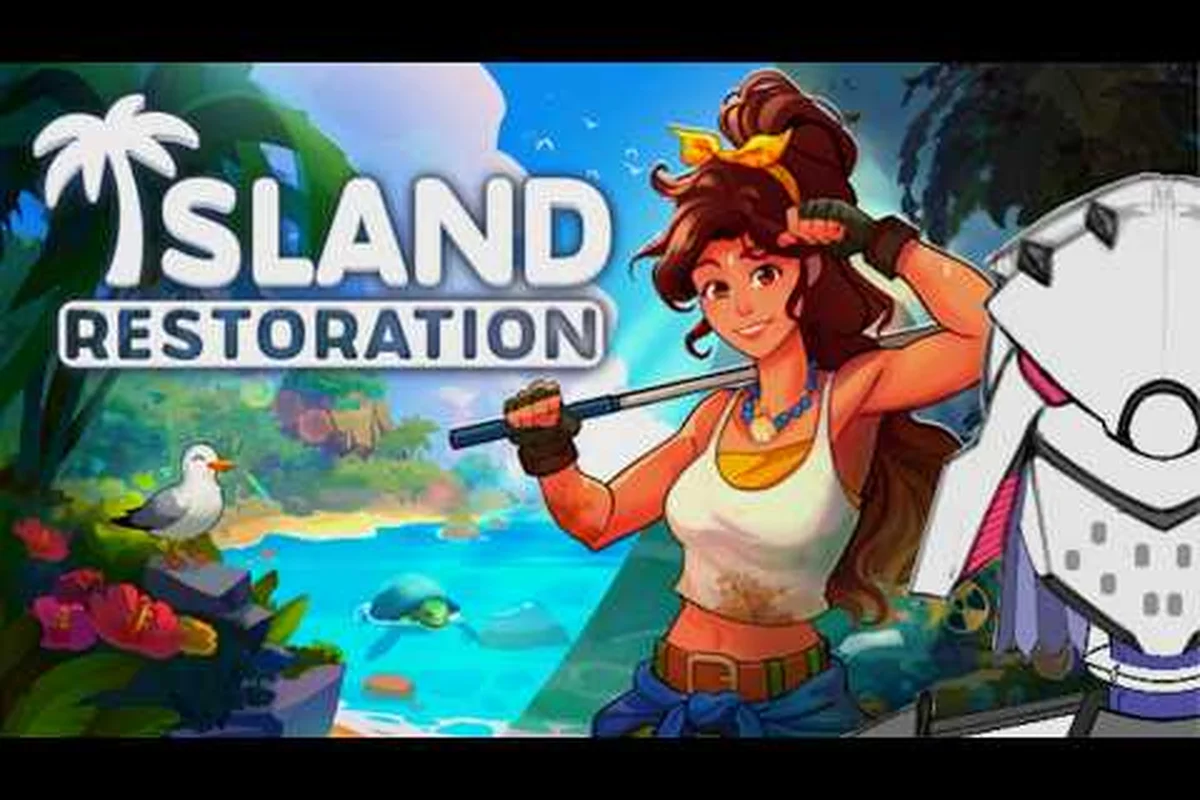
Picking up a piece of shoreline debris only to watch it vanish into a vague "trash" pile is the fastest way to lose your cleaning rhythm in Island Restoration. The game actually treats beach litter as a real taxonomy, and recognizing each item type early is what separates a five-minute shoreline sweep from a fifteen-minute tidy-up. According to the official Island Restoration on Steam page, the cozy cleaning sim by solo developer EliteTheDev ships with six dedicated tools and a built-in sorting flow that turns collected garbage into reusable materials. Once you know the trash categories Island Restoration expects you to recognize, every Grabber swing becomes faster, and the recycling mini-game becomes a bonus rather than a chore.
This walkthrough breaks down every Island Restoration trash type you will meet on the Tropical Isles and beyond, from glass and plastic bottles to crumpled bags and aluminum cans. You will also get a practical recycle guide, a look at how the sorting mini-game scores your haul, and a few field-tested tricks that community testers swear by. Whether you are a returning player from the demo or booting up the full release on September 23, 2026, knowing your litter categories is the first skill worth mastering.
The Core Island Restoration Trash Categories
Before you can sort anything, you have to know what you are looking at. The game's Coast Litter system currently splits shoreline debris into four primary Island Restoration trash types, each with its own visual silhouette, grab animation, and destination bin. Patch 1.1.1 of the demo even adjusted Coast Litter brightness, which the developer noted was a direct response to community feedback about items blending into wet sand. That kind of polish signals that the four core types are here to stay for the full launch.
The four Island Restoration trash types are Glass Bottles, Plastic Bottles, Aluminum Cans, and Garbage Bags. A fifth category, loose Paper/Trash Scraps, occasionally shows up inside bagged waste or wedged between rocks, but it feeds directly into the Garbage Bag stream and does not require its own sorting decision. The game does not yet have organic, compost, or e-waste categories, so you do not need to worry about batteries, food scraps, or fishing line for now.
| Trash Category | Visual Cue | Where It Lands | Best Tool |
|---|---|---|---|
| Glass Bottles | Tall, transparent, slight green tint | Glass Recycling Bin | Grabber |
| Plastic Bottles | Crushed profile, opaque label band | Plastic Recycling Bin | Grabber |
| Aluminum Cans | Short, cylindrical, reflective | Metal Recycling Bin | Grabber |
| Garbage Bags | Black or gray, slumping shape | Landfill Bin | Grabber or Power Washer |
| Paper Scraps (nested) | Visible only when bag opens | Landfill Bin | N/A — auto-sorted |
Knowing this table is half the battle, because the actual pick-up motion is identical for every type. Your speed comes from recognizing the silhouette before you reach it, then pre-aiming the Grabber toward the correct bin. The community has nicknamed this "reading the shoreline," and it is the single biggest efficiency boost you can pick up before your first map clear.
How Each Type Looks on the Beach
Visual recognition is the part most beginners underestimate. The Tropical Isles biome uses a warm sand palette, so transparent glass can disappear against wet patches while aluminum cans catch the light and pop. The Steam news post covering Demo Patch 1.1.1 confirmed that Coast Litter was deliberately made brighter to address this exact visibility problem. In practice, expect to see bottles standing upright in clusters near tide lines, while cans tend to roll into tide pools and small depressions.
Garbage bags behave differently. They are usually slumped against driftwood or rocks, and they have a slightly darker outline than the surrounding sand. Once you grab a bag, it often leaks smaller paper scraps onto the ground, but the game handles that automatically — you do not have to re-pick those scraps. Plastic bottles in particular are the most common false-positive, because crushed plastic and small glass share a similar profile at a distance; tilting the camera or using the FOV slider can help separate them.
Why the Game Cares About Sorting
Sorting is not just flavor. Every time you deposit a piece of trash into the correct bin, the game adds it to a behind-the-scenes recycling counter that fuels the Recycling Mini-Game and the broader Skill Tree. Mis-sorted items are not punished, but they lower your per-island cleanliness score, which affects side-contract payouts and the cosmetic unlocks tied to your boat. Players who treat the bins seriously report noticeably faster skill-tree progression because they hit the bin-completion bonuses more consistently.
How to Sort Garbage in Island Restoration
Sorting in Island Restoration is intentionally low-friction, but the underlying flow has more depth than a single button press. When you walk up to a Recycling Station — the wooden kiosk with four color-coded bins — your character auto-detects which Island Restoration trash type is currently held in the Grabber. A short prompt appears over the matching bin, and a tap or button press deposits the item. If you hold the wrong item, the matching bin still highlights, but the game quietly tucks the item into the closest generic bin instead.
The recycle guide below walks through the exact sequence, because new players often waste five to ten seconds per item trying to remember the layout. After a few beaches, the four-bin arrangement becomes muscle memory, and your deposit speed will jump noticeably.
| Step | Action | Tip |
|---|---|---|
| 1 | Walk within 1.5 m of the Recycling Station | The on-screen prompt appears automatically |
| 2 | Hold the correct item in the Grabber | Each type glows when matched to its bin |
| 3 | Tap the matching color-coded bin | Glass = green, Plastic = blue, Metal = yellow, Garbage = black |
| 4 | Watch the bin counter tick up | Combo flashes for three or more correct deposits in a row |
| 5 | Repeat for every item before sailing | Un-deposited items count against your island score |
Players who want to squeeze out extra efficiency should know that the bins accept items even when you are slightly out of range, as long as the Grabber icon is aimed at the kiosk. That means you can swing the Grabber toward the bin while still moving, which is handy when you are racing the in-game tide timer on harder contracts.
The Four Recycling Bins and Their Color Codes
Each bin is tied to a specific category, and the color coding is consistent across every Recycling Station on every biome. Glass is green, Plastic is blue, Metal is yellow, and Garbage is black. The color choice lines up with real-world recycling standards, which is a nice touch for players who already think in those terms. The four-bin layout is also mirrored on the boat's cargo hold, so you can pre-sort while sailing if you want to skip the on-shore deposit step.
| Bin | Color | Accepts | Mis-Sort Penalty |
|---|---|---|---|
| Glass | Green | Glass Bottles only | None, but lowers combo |
| Plastic | Blue | Plastic Bottles only | None, but lowers combo |
| Metal | Yellow | Aluminum Cans only | None, but lowers combo |
| Garbage | Black | Garbage Bags + Paper Scraps | None, but lowers combo |
A small but useful detail for marathon cleanup sessions: the bins do not overflow, so you can dump an entire boatload of glass bottles into the green bin, or top off the blue Plastic bin with every PET bottle from a full cargo hold, and the counter will simply keep climbing without resetting your combo. This means you can chain multi-trip sorting runs from the Recycling Station deposit prompt straight back to the island without ever pausing to clear space, which is especially valuable when you are stockpiling a single trash type before switching biomes. Just remember that the counter only advances for the correct category, so a boatload of aluminum cans will not move the green glass counter an inch.
Common Sorting Mistakes to Avoid
The most common mistake new cleaners make is treating every bottle as plastic. The game includes both glass and plastic variants, and a quick silhouette check saves a lot of rework. Another easy error is depositing bags into the recycling bins. A bag might contain paper, but the bag itself is landfill waste, and the recycling counter does not reward landfill items even if the contents are theoretically recyclable. The third mistake is overlooking the combo system — three correct deposits in a row trigger a small XP flash, and many players miss it because they deposit items one at a time with pauses.
Use that rule as a quick first pass, then verify by looking for a few giveaway cues before committing the deposit. Glass bottles and plastic bottles share the same bin, so the silhouette test really matters — the transparent tall profile of a glass soda bottle is the most reliable shape cue, while a plastic variant looks shorter with a molded seam running down the side.
The Island Restoration Recycling Mini-Game Explained
Once your recycling counter hits certain thresholds, the game unlocks the Recycling Mini-Game as an optional side activity at the Recycling Station. This mini-game is the main reason the trash types matter at all, because the score you see in the corner of the HUD is directly fed by correctly sorted materials. The mini-game is short, but it layers on top of the regular cleanup loop, and skilled players learn to use it as an XP and currency boost between islands.
The mini-game works like this: when you interact with a fully stocked bin (typically 15 items deposited correctly), a small sorting puzzle pops up on the kiosk's front panel. A handful of mixed items slide down a virtual conveyor, and you have to swipe or click them into the right bin before the timer runs out. The faster you sort, the higher your multiplier, and the bigger your payout. Most sessions last 30 to 60 seconds, which makes the mini-game easy to fit between major cleaning passes.
| Mini-Game Element | Mechanic | Reward |
|---|---|---|
| Conveyor Speed | Increases every 5 correct sorts | Faster = higher multiplier |
| Item Mix | Always 4 types, random ratios | Glass-heavy rounds give more XP |
| Combo Multiplier | Chains reset on miss | Up to 5x before timing out |
| Completion Bonus | All 20 items sorted correctly | Unlocks a skill-tree node |
How the Mini-Game Ties Into the Skill Tree
According to the release-date announcement on Steam, Island Restoration launches with a complete upgrade skill tree, and the recycling mini-game is one of three primary XP feeders. The other two are animal rescues and side-contract completions, but recycling tends to be the most reliable because you trigger it on almost every island. Each successful mini-game run grants Recycle XP, which the skill tree converts into passive boosts like faster Grabber swings, larger carry capacity, and a small chance to auto-sort mis-aimed items.
The skill tree also includes a hidden node that doubles the payout from a perfect mini-game run, which is the main reason experienced players chase the 5x combo. If you are wondering which upgrades to prioritize first, this is the one to chase early, because it pays for itself within a single play session.
Best Times to Trigger the Mini-Game
Because the mini-game requires a stocked bin, you want to deposit a few items, then head back to the station before sailing to the next island. The most efficient trigger point is right after finishing a cluster of shoreline pickups, so your hands are already warm and your bin counter is near the threshold. Community testers also recommend triggering the mini-game when your stamina bar is full, because some island events can interrupt the timer and a missed round feels like a wasted combo.
If you are on a tight schedule, save the mini-game for the end of a long session. The completion bonus stacks with side-contract payouts, and it is a satisfying way to wrap up an island before the boat sails to the next biome. If you are still learning the four Island Restoration trash types, this is also the safest place to practice, because the mini-game lets you fail without any lasting penalty.
Field Tips for Faster Trash Cleanup
Reading the shoreline and sorting correctly are the two main skills, but a few smaller habits compound into a major time savings over a full map run. These tips come from players who have spent hours on the demo's Tropical Isles and reported back to community channels. None of them require skill-tree unlocks, so you can apply them from minute one.
Pre-Aim the Grabber While Sailing
The Grabber has a generous aim cone, and you can pre-aim at a piece of litter while your boat is still pulling into the dock. As soon as you disembark, a quick swing often catches a glass bottle or aluminum can before the auto-camera finishes panning. This trick alone shaves several seconds off the first minute of every island, which adds up over a 12-map campaign.
Walk the Tide Line First
Tide lines collect the highest concentration of bottles and cans because the ocean sorts items by weight. Walking the wet edge of the beach first guarantees you clear the densest litter cluster before you move inland, where garbage bags and paper scraps are more common. A second pass along driftwood piles finishes the inland cleanup and lets you deposit in big batches.
Stack Items by Type Before Depositing
The Grabber can hold one item at a time by default, but the boat's cargo hold acts as a temporary stash. Sorting into the cargo hold first means you can drop a full load at the Recycling Station in one trip, instead of running back and forth. The Steam store page confirms the boat has a small visual cargo system, and it doubles as a soft inventory before deposit.
Use the FOV Slider to Spot Cans
Aluminum cans are the hardest items to see at default field of view because of their reflective surface. Demo Patch 1.1.1 added a dedicated FOV slider, and widening your field of view from the default 75 to around 90 makes cans pop against the sand. This is also handy for spotting glass bottles that blend into tide pools, which are the second-most-missed item type in community reports.
Build a Mental Map of Bin Locations
Every island has exactly one Recycling Station, and the map icon marks it clearly. Memorizing the path from your usual landing dock to the station lets you deposit in batches without breaking your stride. On multi-island runs, the boat's autopilot makes this even easier, because the game docks you near the same spot each visit.
| Tip | Time Saved Per Island | Skill-Tree Required |
|---|---|---|
| Pre-aim Grabber | 5-10 seconds | None |
| Walk the tide line | 15-20 seconds | None |
| Stack items in cargo | 10-15 seconds | None |
| Widen FOV slider | 5 seconds | None |
| Learn bin path | 5-10 seconds | None |
These five habits stack, and over a full 12-map playthrough you can realistically save 10 to 15 minutes of cleanup time, which means more room for animal rescues and side contracts. To put that in perspective, the average Recycler visit takes roughly 45 seconds including the dock-to-station walk plus the sort garbage mini-game, so even shaving 5-10 seconds per trip compounds into meaningful reclaimed minutes across glass bottles, plastic bottles, and garbage bag hauls.
How the Trash System Connects to the Wider Game
The trash-sorting system is not a standalone feature. It feeds directly into the four-biome progression that the Steam store page outlines, and it is one of the main XP sources during the early game. Each biome you visit introduces slightly different litter distributions, and the recycling mini-game scales its conveyor speed as you progress. The full launch on September 23, 2026 will include 12 distinct maps spread across four biomes, and the trash types will remain the same across all of them.
The skill tree is where this system really pays off. With six unlockable cleaning tools and a complete upgrade path, you can eventually turn your character into a sorting machine that auto-aims and auto-deposits. Until those upgrades are unlocked, the manual habits above are the only way to keep your efficiency high. Players who skip sorting and rely on brute force end up spending more time depositing, which means less time on the more interesting parts of the game, like rescuing animals or exploring the biome differences covered in our map guide.
| Connection | Effect on Gameplay |
|---|---|
| Recycling Counter → Mini-Game | Unlocks after 15 correct deposits |
| Mini-Game → Skill Tree | Each run grants Recycle XP |
| Skill Tree → Cleanup Speed | Faster Grabber, larger carry |
| Cleanup Speed → Side Contracts | Higher payouts, more cosmetics |
| Cosmetics → Boat Customization | Pure visual, but big motivator |
A neat side effect of the trash system is that it teaches real-world recycling habits in a low-pressure environment. Players who never thought about the difference between glass and plastic in their own kitchen often end up mentally sorting items after a play session, which is exactly the cozy educational tone EliteTheDev was going for. The official Island Restoration news posts mention that the demo overhaul included improvements based on player feedback, and many of those improvements touched the sorting flow.
Frequently Asked Questions
What are the four main Island Restoration trash types?
The four primary trash types are Glass Bottles, Plastic Bottles, Aluminum Cans, and Garbage Bags. Each one drops into a color-coded Recycling Bin (green, blue, yellow, and black respectively). Paper scraps occasionally appear but are auto-sorted into the garbage stream and do not require a separate decision. Mastering these four Island Restoration trash types is the foundation of efficient shoreline cleanup.
Does the Island Restoration recycling mini-game give real rewards?
Yes. Every successful run grants Recycle XP and a small in-game currency payout. The XP feeds the skill tree, which can eventually unlock faster Grabber swings and larger carry capacity. A perfect run with a 5x combo also unlocks a hidden skill-tree node that doubles the next mini-game payout.
What happens if I sort a trash item into the wrong bin?
The game does not penalize mis-sorts directly, but the bin counter does not increment and your combo resets. Over the course of an island, this can lower your per-island cleanliness score by a few percent, which affects side-contract payouts. Sorting correctly from the start is the easiest way to keep your numbers high.
Can I skip sorting and still finish the game?
Technically yes, because the full release on September 23, 2026 does not lock the campaign behind the recycling system. However, you will miss out on skill-tree XP, cosmetic unlocks, and the satisfaction of a clean per-island score. If you are new to cleaning sims, the new player guide covers a smooth onboarding path that includes sorting from day one.
Do the trash types change between biomes?
No, the four core types stay the same across all four biomes and 12 maps. What does change is the visual environment, which can make certain items harder to spot. A wider FOV setting and the demo's brighter Coast Litter are the easiest ways to keep recognition sharp. For more on biome-specific litter density, the biome guide is a great follow-up read.